Autoset Labs

Your styles stay when the numbers change.

Chartwork makes charts inside InDesign, from your own swatches and text styles.
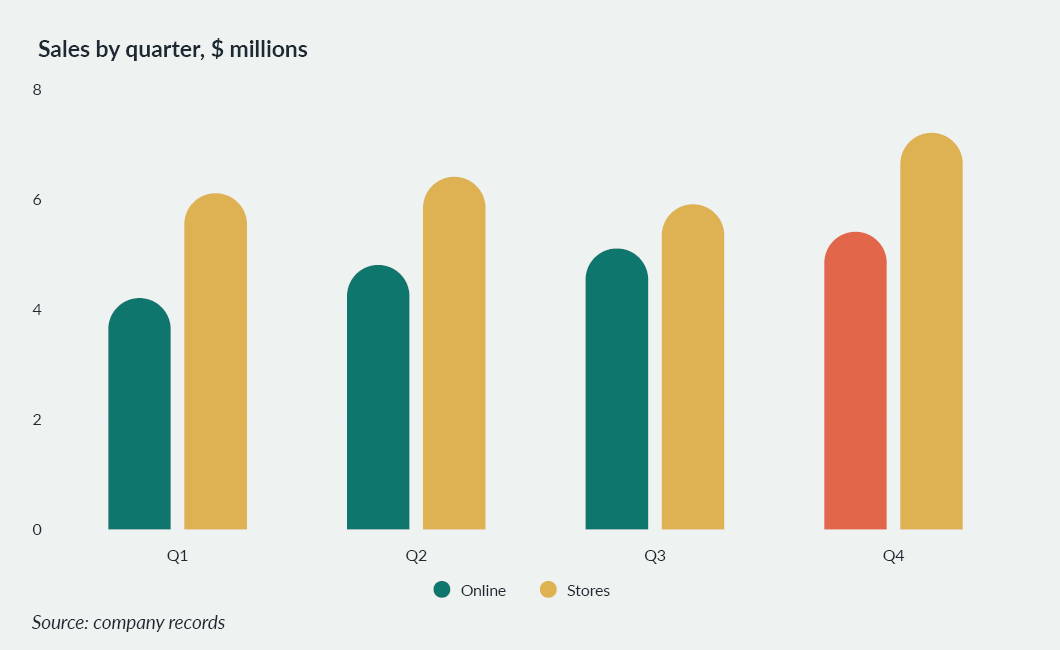
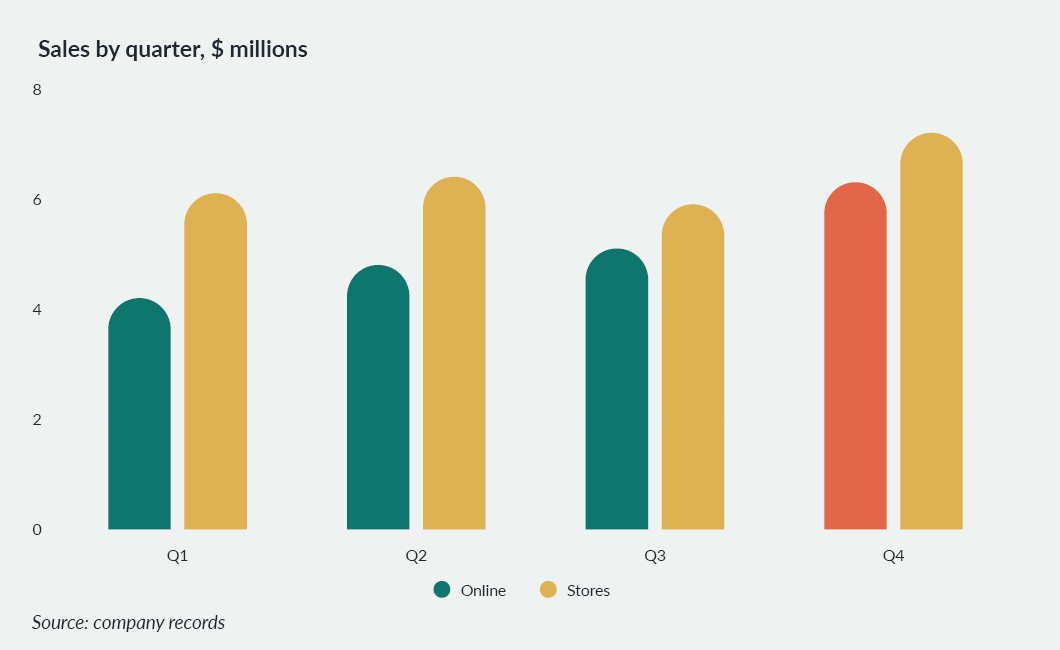
Column chart in InDesign: sales by quarter, online and stores. The Q4 online bar is coloured by hand.

Same chart. New numbers.

Round 2: Q4 online at 6.3, the bar taller and still the colour picked by hand.
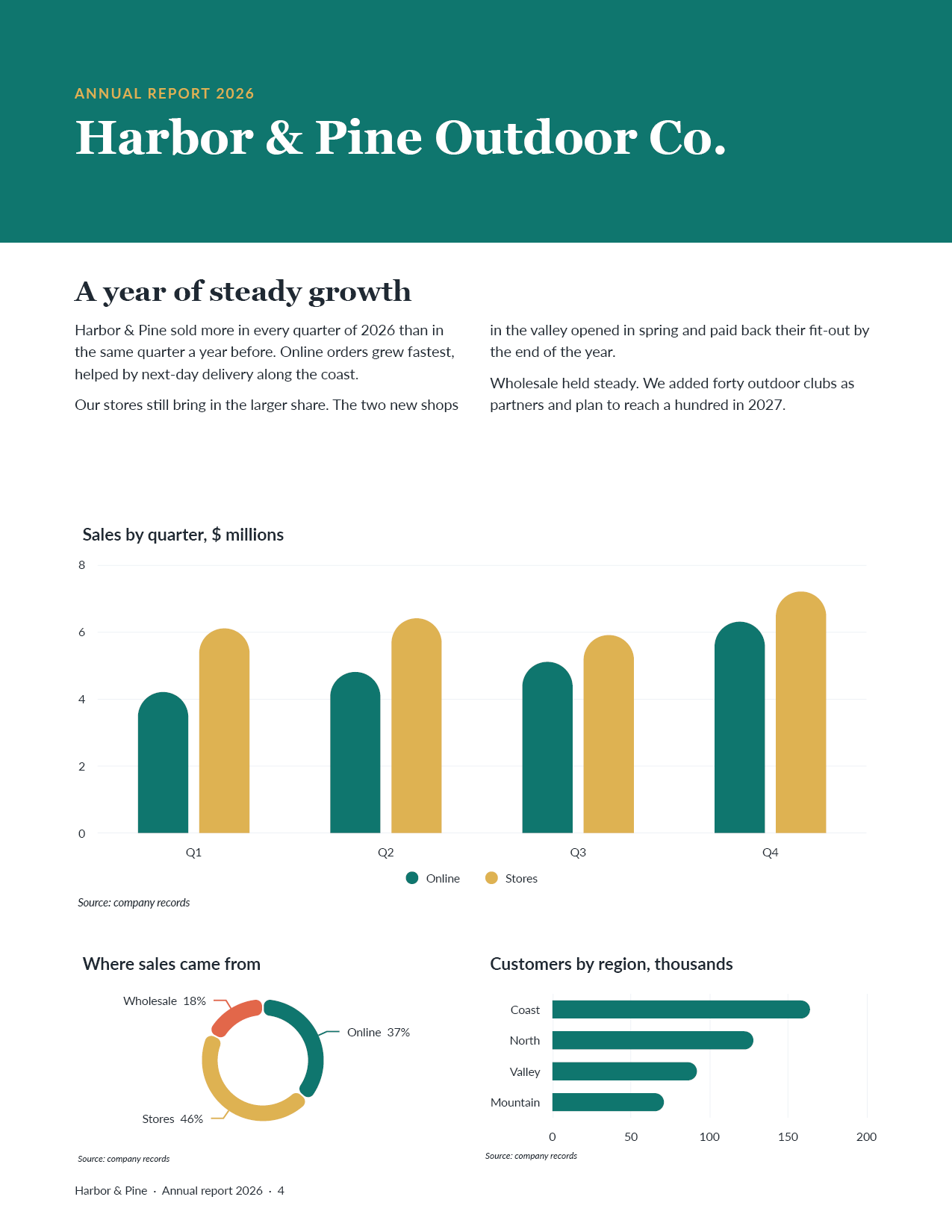
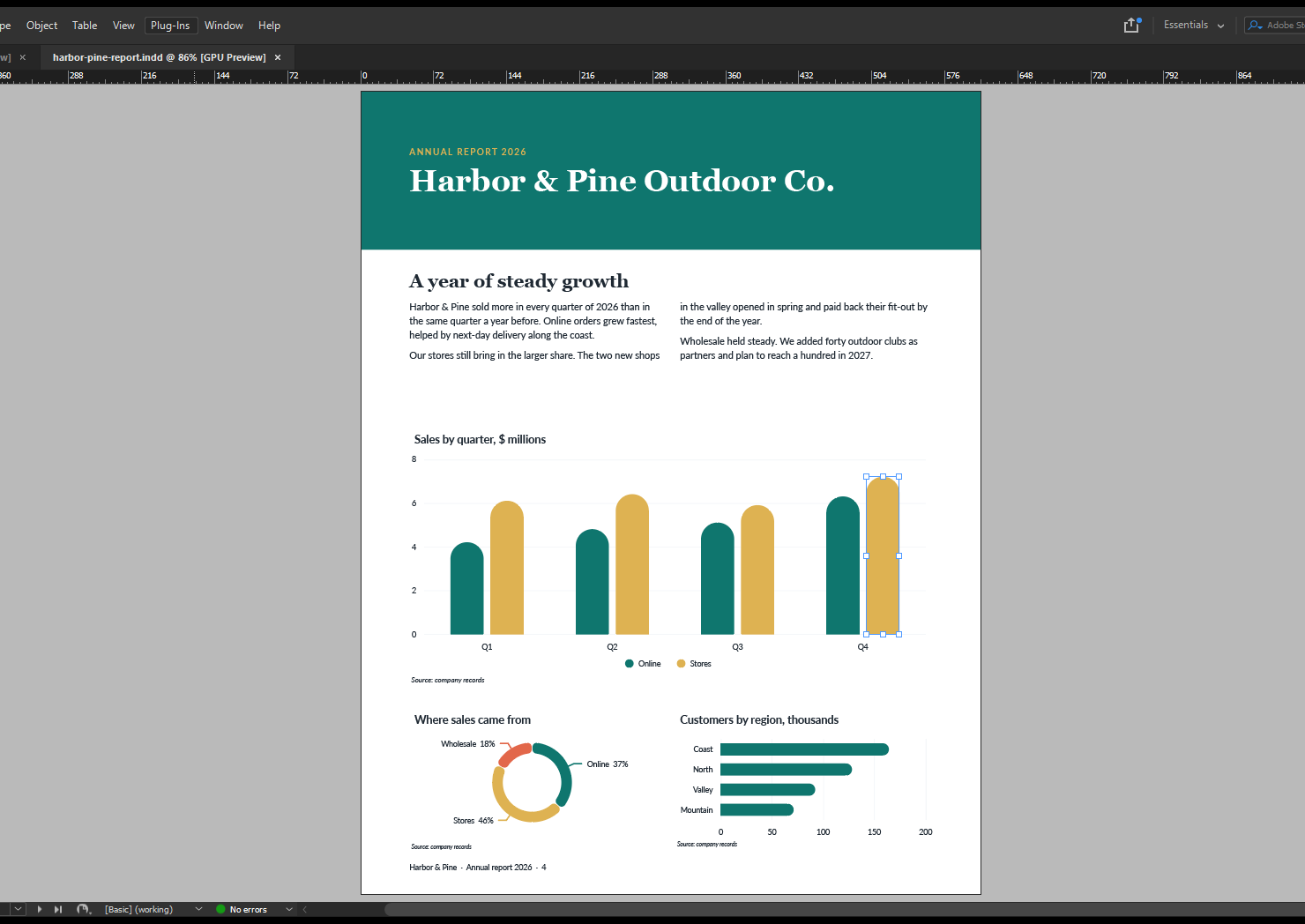
Annual report page with a column chart, a donut chart and a bar chart, all in the report's own teal, sand and coral.
Round 1Round 2
Sales, $ millions
QuarterOnlineStores
Q14.26.1
Q24.86.4
Q35.15.9
Q45.4 6.37.2

You colour one bar by hand.

The number changes.
Your colour stays.

Final

Made from your document.

Colours
Your swatches.

Titles, labels, notes
Your paragraph styles.

The page
Every chart. One look.

Sample report for a made-up company.

A panel that looks like InDesign.
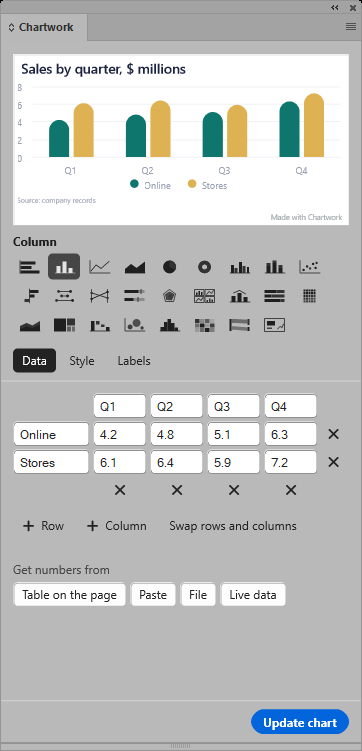
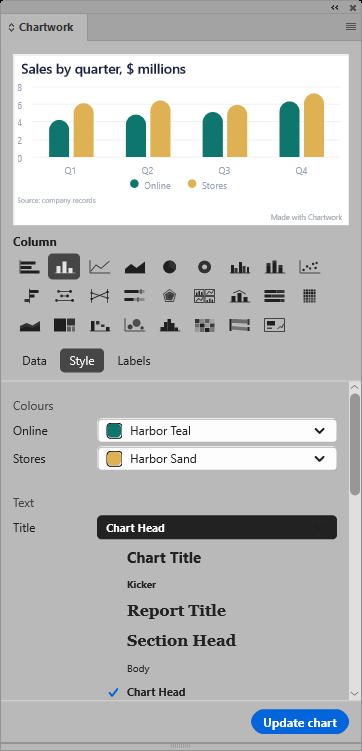
Chartwork panel: a preview of the sales chart at the top, a grid of chart type icons with Column picked, and the Data tab with quarterly numbers for online and stores.
Pick a chart from the grid. See it before you place it.
Chartwork Style tab with the title style list open: Chart Title, Kicker, Report Title, Section Head, Body and Chart Head, each name shown in its own font.
Each text style shows in its own font.
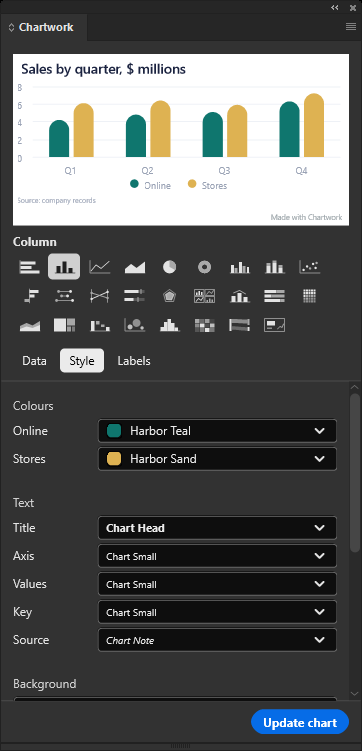
The Style tab in InDesign's dark theme: chart colours set to the swatches Harbor Teal and Harbor Sand, text set to the styles Chart Head, Chart Small and Chart Note.
Your swatches and styles, in light or dark.

Every bar is an InDesign shape.

InDesign window with the report open and one bar of the chart selected, showing InDesign's own selection handles.
Select a bar like any other shape.Recolour it. The next update keeps it.

Pay once.

Free

$0

  • The basic charts
  • Small watermark
Download free

Pro

$99once

  • Every chart type
  • No watermark
  • 2 computers
Email to buy Pro

Team

$249once

  • Everything in Pro
  • 5 computers
Email to buy Team

Every 1.x update is free.

Not for you? Full refund within 14 days.

More than 5 computers? support@autosetlabs.com

Questions

Which InDesign?
InDesign 2025 or newer.Mac and Windows.
Do I need an account to try it?
No. Download the free version and double-click it.Creative Cloud installs it.
Where is it after I install it?
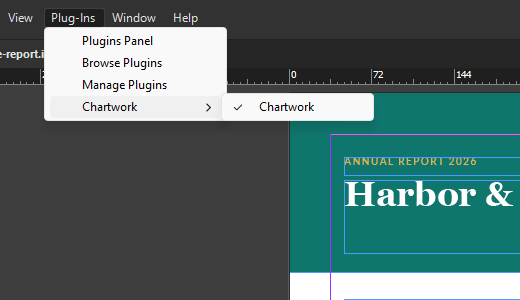
Plug-Ins > Chartwork.InDesign's Plug-Ins menu open on Chartwork.
Do updates cost money?
No. Every 1.x update is free.
Where do I get help?
support@autosetlabs.com

Try it on your next report.

Chartwork 1.1.1 for InDesign on Mac and Windows. One .ccx file, 1 MB.

Final